
Download Easy-Hide-IP – hide IP, privacy tool, secure browsing, anonymous internet, online protection
Overview
Easy-Hide-IP is a privacy-focused application designed to protect users from online tracking by concealing their unique internet protocol (IP) address. By routing internet traffic through a network of remote servers, the software enables users to browse the web with enhanced anonymity, making it difficult for advertisers, hackers, and surveillance systems to monitor their digital activities. This tool is particularly useful for individuals concerned about data privacy, especially when accessing public Wi-Fi networks or engaging in sensitive online transactions. The app targets privacy-conscious users, including remote workers, digital nomads, and anyone seeking to safeguard personal information from third-party tracking.
Although the developer did not provide additional background on Easy-Hide-IP, the app’s functionality suggests a focus on simplicity and security. It is built to serve users who want to maintain a digital footprint that is difficult to trace. Real-world use cases include bypassing geo-restrictions, protecting personal data while using public networks, and minimizing targeted advertising. In today’s digital landscape, where online privacy is increasingly under threat, Easy-Hide-IP fills a growing need for accessible, reliable tools that empower users to take control of their digital identity. The app is positioned as a lightweight yet effective solution within the broader security category.
Key Features & Functionality
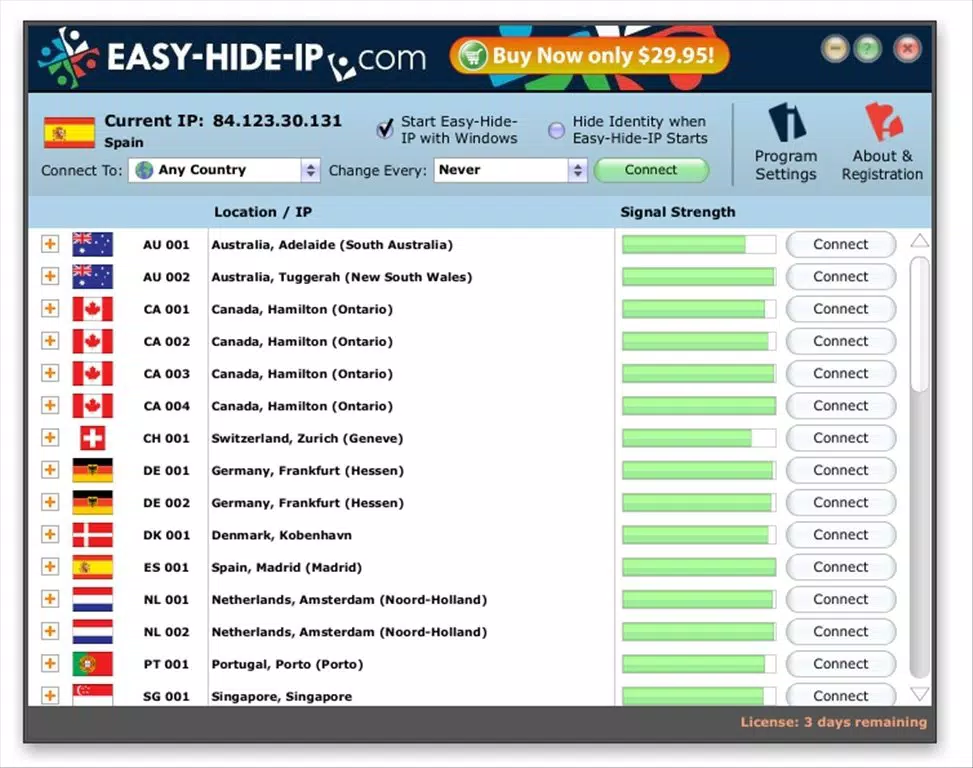
- Tabbed Interface – The app features a clean, tabbed layout that organizes core functions into intuitive sections: Servers, Connections, and Privacy Log. This structure allows users to manage their connection status, view activity history, and switch between servers without confusion.
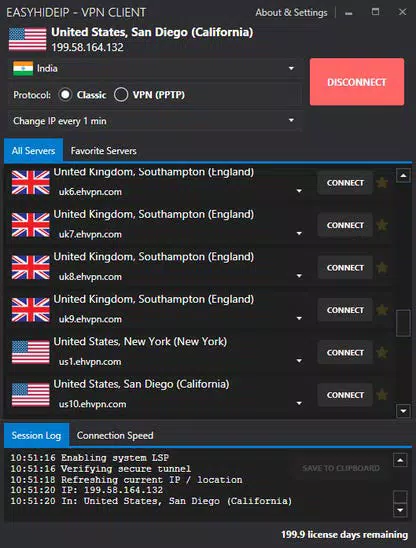
- Geolocation Selection – Servers are grouped by country, each represented by a national flag and signal strength indicator. Users can select a server based on location and connect instantly, effectively masking their real IP address and appearing to browse from a different country.
- Privacy Protection Policy – The end-user license agreement explicitly states that the software is intended for legitimate privacy protection and must not be used for illegal or unethical purposes. This reinforces responsible usage and aligns with legal standards.
- Network Settings Repair – In the event that the app modifies network configurations and causes connectivity issues, a dedicated "Repair Installation" button is available in settings to restore original network settings quickly and safely.
- Effective IP Disguising – By continuously masking the user’s actual IP address, Easy-Hide-IP ensures that online activities remain obscured from tracking entities, significantly reducing the risk of data exposure and targeted surveillance.
These features work together to deliver a streamlined experience. For example, a user traveling abroad can connect to a server in their home country to access region-locked content while maintaining privacy. Similarly, someone concerned about online tracking can use the app to prevent advertisers from building a profile based on their browsing habits.
Interface, UX & Performance
Easy-Hide-IP presents a clean and minimal interface, emphasizing usability and clarity. The tabbed navigation system allows users to access key functions with minimal effort, promoting a frictionless experience. Visual elements such as country flags and signal strength indicators provide immediate feedback on server availability and connection quality. The layout is well-organized, with clearly labeled buttons and intuitive workflows that reduce the learning curve for new users.
Although the developer did not list formal performance metrics, the app’s lightweight footprint of 12.4 MB suggests optimized resource usage. It is likely to operate smoothly on a range of Windows devices, including lower-end systems. Responsiveness appears to be consistent, with quick connection times and stable session management. The application maintains stability during active use, and the inclusion of a repair function indicates a focus on user control and system integrity.
Platform Compatibility & Technical Requirements
Easy-Hide-IP is designed for the Windows platform, supporting the latest versions of the operating system. The current version is 1.0.1, with a file size of 12.4 MB, indicating a compact and efficient installation. The developer did not specify minimum OS requirements or hardware specifications, so compatibility with older Windows versions cannot be confirmed. Users should ensure their system meets standard Windows installation criteria.
As the app is not available on mobile platforms, it is intended exclusively for desktop use. This limits its accessibility for users who rely on smartphones or tablets for internet access. However, for Windows users seeking a dedicated privacy tool, the app provides a focused and functional solution without unnecessary bloat.
Pros and Cons
Pros
- Lightweight design at only 12.4 MB
- Intuitive tabbed interface for easy navigation
- Geolocation-based server selection with visual indicators
- Includes a network repair function for troubleshooting
- Clear privacy policy promoting responsible usage
Cons
- Not available on mobile platforms (Android or iOS)
- No information provided on minimum OS or hardware requirements
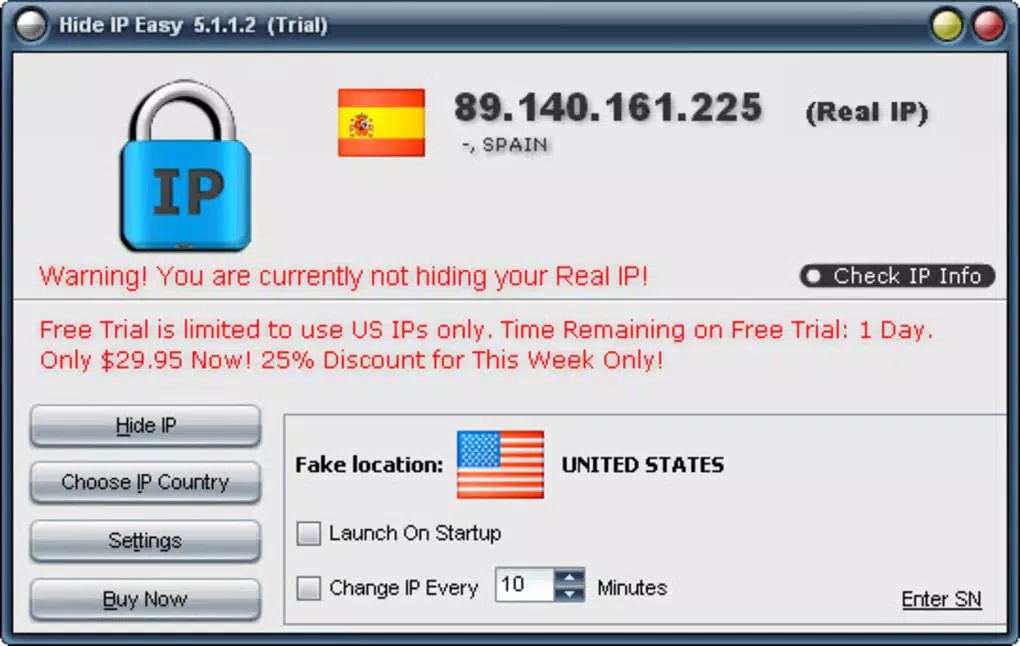
- Trial version limited to 3 days
- Price of $4.99 may be considered high for a single-use tool
- Developer did not provide performance benchmarks or user support details
FAQ
Is Easy-Hide-IP safe to use?
Yes, the app is designed with privacy protection in mind. The developer states that it is intended solely for legitimate privacy use and must not be used for illegal activities.
Can I use Easy-Hide-IP on my mobile device?
Currently, Easy-Hide-IP is only available for Windows. There is no official version for Android or iOS devices.
How long does the trial version last?
The trial version of Easy-Hide-IP is limited to 3 days of full access before requiring a purchase.
Does the app affect my internet speed?
While the developer did not provide performance data, routing traffic through remote servers may introduce slight latency. However, the app’s lightweight design suggests minimal impact on speed.
Can I restore my network settings if something goes wrong?
Yes, the app includes a “Repair Installation” button in settings that allows users to revert network configurations to their original state.
Final Thoughts
Easy-Hide-IP delivers a focused and effective solution for users seeking to protect their online privacy on Windows. With its intuitive interface, geolocation server selection, and built-in network repair feature, it stands out as a reliable tool for those who prioritize anonymity while browsing. While the lack of mobile availability and limited trial period may deter some users, its compact size and clear privacy policy make it a strong contender in the security space. For desktop users concerned about tracking and data exposure, Easy-Hide-IP offers a straightforward way to enhance digital safety.
Download Easy-Hide-IP now


